
When paying online, we want to have the same level of anonymity as with cash. Cryptocurrency wallets can help with this.
“We, law-abiding citizens, have nothing to hide” — how often do we hear this phrase from politicians, regulators, and fiscal authorities? On one hand, it’s hard to disagree, but on the other, more and more examples of personal data theft, fraud, and total control have led to problems even for the most “lawful” people. But before fighting this, let’s remind…
How does a payment occur?
Since cryptocurrencies lack a centralized processing center (processing) and no personal data are transmitted over the network, a classic encryption and confirmation scheme is used, employing two unique keys: private and public. The sender signs the transaction with the private key, while the public key is transmitted to the recipient and is not secret. Simply put, a wallet is a combination of “private + public key.” It is impossible to decrypt a message using only the public key (this is how the information is then recorded in the blockchain); access requires the sender’s key pair or access to the recipient’s wallet.
The wallet creates a private key ONCE, with no possibility of changing or restoring it, so losing it will result in losing control over the balance. Public keys can be many, and comparing them to existing ones in the blockchain will not cause problems. Additionally, a separate one-time key can be created for each transaction.

Types of wallets
All options can be divided into three groups, and we will give 2-3 examples for each. This is not an absolute ranking (there are many in the network); simply, in our opinion, this software is convenient to use and provides a sufficient level of security. So, wallets are:
“Thick”: loads a full copy of the blockchain.
After synchronization with other network nodes, the wallet can operate in “full node” mode, participating in transaction confirmation chains. The main issue is the size of the database: currently, the Bitcoin database is about 300 GB, and the Ethereum blockchain, as of early 2018, exceeded 1 TB. Under such conditions, synchronization takes several days, and the computer must be constantly turned on. Many users complain that completing this process is impossible.
To solve this problem, developers have provided the option of downloading only the last 3-4 months of database for electronic money. This is enough for quick synchronization, transfers, and confirmation.
Examples for main cryptocurrencies:
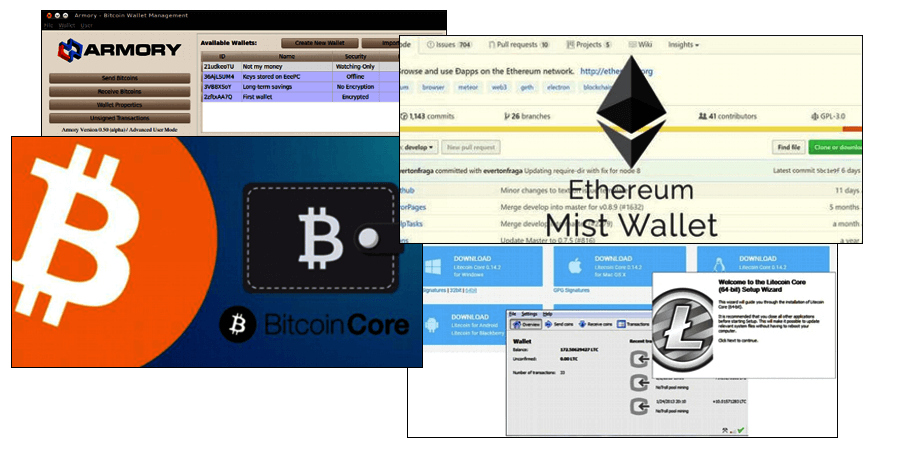
Bitcoin Core and Bitcoin Armory
The first wallet (Bitcoin QT) was developed by Bitcoin’s creator Satoshi Nakamoto, although this has nothing to do with reality — but let’s believe the advertising. The official recommended version is Core, with all security updates and network protocol updates released primarily for it. It is available for free on the official website, and beginners in Russia are advised to start with it — it supports Russian language and has an additional password for the private key.
The Armory version adds additional functions to the installed Core. What does this mean for the user:
- fast startup, about 10-15 minutes, whereas a standard Bitcoin wallet is recommended to be kept open constantly;
- working with multiple addresses with one blockchain copy;
- conducting transactions over a local network, including deferred ones — no direct internet connection required;
- encrypted chat with other users.
When installing, consider the size of the Ethereum blockchain and choose partial download options. Two options are implemented: “Account,” with a single set of keys, and “Wallet” — supporting smart contracts with multi-signature from multiple accounts.
If planning for commercial use, the most reliable option is a “thick” wallet, with a full blockchain copy and separate internet connection via antivirus or, better, a firewall. Only this way can the risk of unauthorized actions from outside or inside the local network be minimized.
Like Bitcoin, it downloads a full version for a full node, and the current size of about 25 GB is not demanding in disk space or synchronization time. Notable features include support for the TOR anonymous network and acceleration of transactions via the SegWit algorithm.
Before moving further, let’s answer a common question for owners using multiple cryptocurrencies: Do I need to install a separate wallet (application) for each, or is there another solution? The answer is — multi-currency wallets, and one of the most versatile is JAXX:
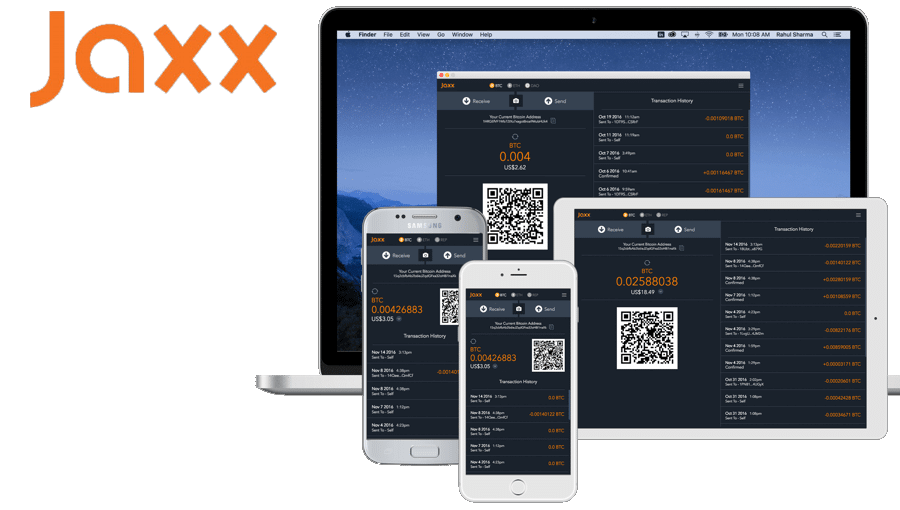
- The first version was released in 2016, and by early 2020, it supported 57 currencies, including rare ones like Storm, Stox, and others. Naturally, all major ones are supported: Bitcoin, Ethereum, and even Monero with their maximum confidentiality blockchain. However, which wallet to choose can be questionable since access is not through a native app.
- All options are available: desktop, mobile, and browser-based. The latter can be installed as a Google Chrome extension, but whether this is safe deserves a separate article.
- Additional security level for wallet access: a PIN code on entry and a 12-word mnemonic phrase generated by the wallet upon creation. With it, you can make a backup and restore access if the private key is lost.
Always verify the storage location of funds and whether the wallet supports Russian — on your device, access rights will be stored, or on the developers’ servers through which payments and blockchain changes are made. Usually, in desktop applications, everything is stored locally, but exceptions may exist, especially on tablets or smartphones.
“Thin” wallet
Private and public keys are stored on the user’s computer, where the wallet software is installed, and the blockchain copy is on remote developer servers. Positive reviews confirm that this saves disk space and does not require powerful hardware, enough even a tablet or smartphone based on iOS/Android. Functionally, they are comparable to “thick” wallets and in some cases even superior.
The obvious disadvantage is that all transactions are under external control. They go to a server, which independently chooses the list of subsequent nodes for confirmation, unlike “thick” wallets, where the network does this randomly. As a result, the security level is reduced, especially when many transactions are made regularly. By analyzing traffic along the same routes, it’s quite possible to identify the sender and receiver at the IP address level. And then, personal data becomes easier to find. But if mobile access to the cryptocurrency network is needed, there are currently no alternatives.
Online crypto wallets
Here, everything happens only through the browser, including private keys transmitted to external servers. This makes it the least secure option, despite developers’ claims. The majority of confirmed hacking cases are associated with this type of wallet. But if needed, you can make payments from anywhere on the internet.
And wallets:
One of the most popular “lightweight” wallets in terms of capabilities and speed, with versions for Windows/macOS/Linux/Android. Besides standard features, it offers business functions.
- Among “lightweight” wallets, it is one of the fastest without a blockchain. Set up in 10 minutes and start making regular and deferred payments (salary, advances, bonuses, etc.).
- Ability to generate invoices with electronic signature confirmation.
- Ability to import private keys and make payments on behalf of third parties.
- “Deferred” transactions: a payment signed with a private key and sent exactly at the specified time.
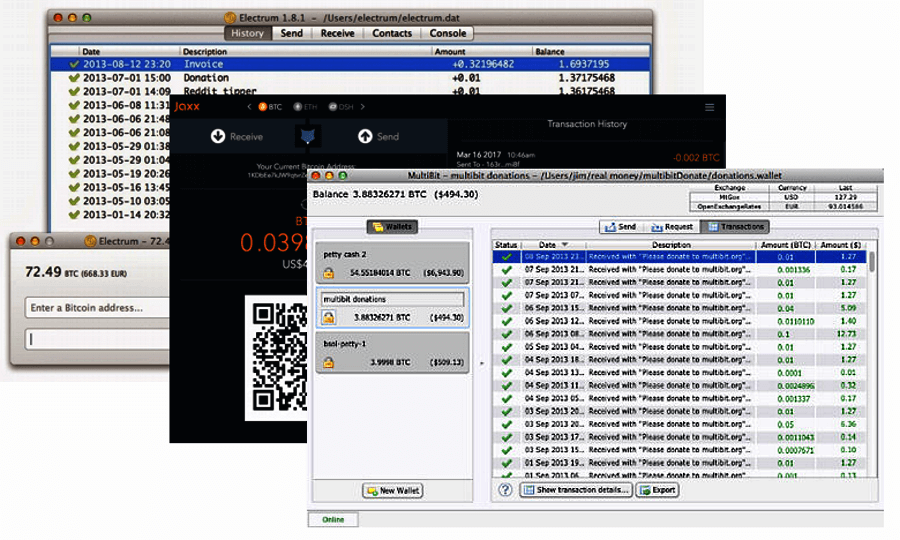
It is highly recommended to open an additional wallet and top it up immediately before making online payments or transferring via exchange. Never keep large sums on it — this will further secure your main balance.
External or “cold” wallets
Any cybersecurity expert will say that the most relevant goal in 2020 is to reduce the risk of hacker attacks, and for this, passwords and keys should be stored on separate media and connected to the wallet only at the final stage of payment confirmation. This primarily concerns cryptocurrencies, because if passwords are changed — it’s impossible to recover access.
Modern external drives, memory cards, and USB flash drives have enough capacity to record parts of the blockchain and access software, but the best choice is a dedicated device with hardware-level encryption:
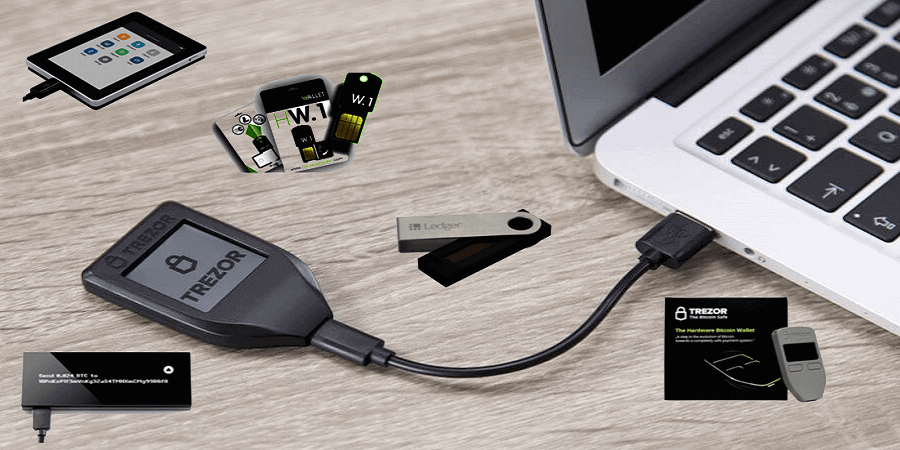
Even when balances are stored on manufacturer servers, transactions are better protected than via other wallet options, especially if done online. So far, there are no confirmed hacks or thefts related to such devices. Keys are always encrypted and stored only on the device and under the user’s password!
Paper wallets
Using regular paper as a carrier for digital currencies may seem strange, since they were created to get rid of paper money. But if you look more closely, such offline methods of payment can sometimes be more advantageous. Privacy is even higher, as it’s even harder to reconstruct the “sender-receiver” chain, and you can pay for goods and services even without internet. You can also store them in a safe, without fear of hackers.
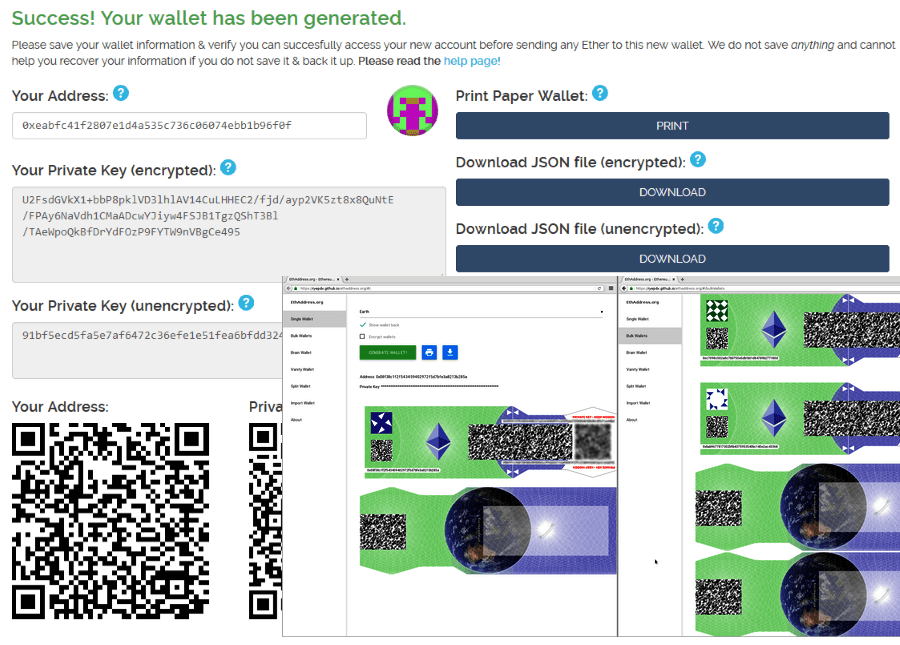
Creating a paper copy is simple: on a site like EthAddress, a separate wallet is created for each “note,” which is then funded by any method for the chosen amount. The output is a QR code and a password, which can be printed or ordered with a custom design (see examples above). To add funds, simply scan the code and enter the password.
Finally, we remind readers that any cryptocurrency wallets cannot provide 100% protection from hacking. What one person builds, another can always break. The more anonymous the payment, the higher the risk of losing funds.
Your security is in your hands!